


SAVES YOU TIME
Dallas Maids helps you live smarter so you can focus on the important things. Gain more time for family, friends, and yourself!

SAFETY FIRST
We rigorously vet all of our cleaners. Employees must pass thorough background checks, reference checks, and in-person interviews.

SUPERIOR SERVICE
Our cleaning artists go the extra mile on every job. After they finish, you can log in and give your team anonymous feedback.

SIMPLE SETUP
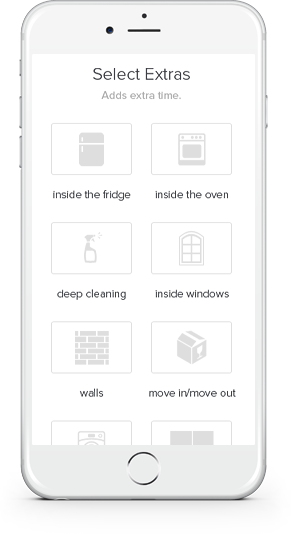
Select your number of bedrooms and bathrooms. Pick a convenient date and time. Then relax while our maids make your home sparkle.

Seamless communication
Our user-friendly site makes it easy for you to stay in touch with Dallas Maids. Log in anytime to add, edit, or cancel bookings.

SECURE PAYMENTS
Pay for your maid service online. Your card is charged only when the cleaning is complete and we know you are happy with the clean.
We recently moved my 94-year-old mother-in-law to live with her daughter in the Houston area. She had lived in her one-story apartment for over ten years, and although she had cleaning help once every two weeks, her place was in great need of cleaning after she moved out. I called Dallas Maids to see about a final clean, and scheduling was really easy and fast. The day before, people had come to pick up items purchased from an online auction. Many different people walked through the apartment that day. Once everything was out, two lovely ladies from Dallas Maids arrived and "hit the floor running!" I never would have been able to do what they did in the amount of time they took. Other than the carpet which had some spots, everything looked great and smelled fresh and clean. The carpet is being removed anyway, so they simply needed to vacuum it. I watched them thoroughly touch EVERY corner with great care. I just know that they were life-savers for us! They really never stopped or took a break...they rarely talked...and each one of them was strongly focused on her own tasks.

Ann S.
Hands down, the best service I have EVER used! Each and every time they have cleaned my home, the results have been nothing short of spectacular! I cannot say enough good things about them and recommend them without reservation.
Arnette A.
Absolutely blown away. This is the third maid service I have tried in Dallas and they blow the other two out of the water. They went above and beyond! They were on time and fast! Very friendly and THOROUGH! If you're looking for a maid service in Dallas, you've found them.
Austin S.
I arrived on the (virtual) doorstep of Dallas Maids as a result of a recommendation from another maid service that couldn't accommodate my completely unrealistic need. It's not a knock on the other service at all, but it helped Dallas Maids with this great review. I called on the Wednesday before Christmas, needing service before Saturday. So there was a two day window, less than a week before Christmas. I was very grateful for them being able to do the work, because my wife and I were getting over pneumonia and desperately needed the help. So, with this in mind, I was thrilled when 2 maids showed up on Friday afternoon, ready to attack our mess. They worked very efficiently and quickly, getting the bathrooms cleaned spotless, and the kitchen just as good, despite there being a lot of clutter in there. They made organization out of chaos. Vacuuming and mopping were handled with great care as well. They even stayed longer than originally planned to get everything taken care of (again, on Friday afternoon. so this was probably cutting into personal time, not even a client's time). Bottom line: Dallas Maids did a great job for me, on a nearly impossible lead time/schedule, and didn't even charge me extra for it. I'm a fan!
Brad N.
After I had a falling out with the maid service we hired to do a move in clean on our new house, I wasn't going to have the same company do the move out clean on our duplex. (I want my deposit back, dangit!) That's how I ended up calling every maid service I could find on Yelp at 7am in the morning to have a move out clean done before we turned in the keys. Who called me back promptly at 8am when they opened? Dallas Maids. These guys did an incredible job on our duplex. All of the floors were spotless, windows were cleaned, they scrubbed the fridge and the stove, and cleaned the blinds and the fans! Basically... they cleaned the place top to bottom!! We were really happy with them and I definitely recommend their service, because they don't hurt the pocketbook either.
Jennifer W.
I called Dallas Maids to do a deep clean of my house before I put it up for sale. I knew they could do a better job than I could even attempt to do. They squeezed me in and gave me a quote. They showed up on time which was awesome. They came in, we did a walk through, and then they got started. I left to get out of their way, but every time I came back, they were working very hard. I started to feel like I was really underpaying them. Because my house has never been deep cleaned and we have two dogs, they needed more time than they had originally thought. The office gave me a phone call and I approved it. I came home 2 hours later and my house looked AMAZING! They did an awesome job. I don't know that my house has ever been that clean. They missed a few spots (nothing major and probably only something I would notice) but it wasn't the end of the world. They achieved the big picture which is what I wanted. They really worked hard and I was seriously impressed. When my parents have had other cleaning services work on their homes (on a regular basis), they would come in to find the ladies talking on the phone in a social way or just screwing off. Not these ladies. They were some hard workers. I can't suggest them and this company more highly. Excellent job by Dallas Maids! Also, my house sold on the first day. Money well spent! Thanks Dallas Maids!
Stephanie W.
I needed my house cleaned on really short notice. Not only did Dallas Maids accommodate me by fitting me in, once there they pretty much cleaned everything but my dog. The team they sent did things that weren't even on the list of services provided and weren't expected to do. They did a great job and are the only company I think to call when I need my house cleaned. They're affordable & provide great quality and service!
Veronica A.
Very professional and continues to exceed our expectations. They have competitive pricing, are punctual, and have been flexible with our schedule. As working professionals we can't tell you how great it is to know we are coming home to an immaculately clean home after a hard days work. I highly recommend their services.
Virginia T.
We Are Rated the #1 Maid Service in Dallas for a Reason
Our dedication to providing you with the best value in home cleaning has earned Dallas Maids® numerous awards and recognition for our cleaning service. You will experience the best maid service in Dallas when you book your first service appointment, and every clean thereafter. Our cleaning service has garnered glowing reviews by D Home Magazine, earned a five-star rating in Home Services Review consumer magazine, received the “Reader’s Choice Award” from Living Magazine, and has maintained an A+ rating by the Better Business Bureau since 2007.

See What Our Customers Are Saying!
At Dallas Maids®, we take immense pride in the exceptional quality of our services, and nothing makes us happier than knowing our customers are satisfied. But don’t just take our word for it — our customers’ glowing reviews across multiple platforms speak volumes about their experiences with us. We invite you to explore our online reviews on Google, Yelp, Trustpilot or anywhere that provide business reviews to see why we are consistently rated the best maid service in Dallas. Here’s a glimpse of what makes us the #1 maid service in Dallas:
⭐⭐⭐⭐⭐ “Absolutely Amazing!”
“I’ve been using Dallas Maids for over a year now, and every cleaning is better than the last! The team is professional, thorough, and always on time. I love coming home to a sparkling clean house. Highly recommend!” – Sarah L.
⭐⭐⭐⭐⭐ “Best Maid Service Ever!”
“Dallas Maids has transformed my home! The attention to detail is incredible, and I appreciate their dedication to making sure every corner is spotless. The booking process is super easy too. Five stars all the way!” – James K.
⭐⭐⭐⭐⭐ “Consistently Great Service”
“I’ve tried other cleaning services before, but none compare to Dallas Maids. Their team is friendly, efficient, and they go above and beyond every time. It’s such a relief to have a reliable cleaning service I can count on.” – Emily R.
⭐⭐⭐⭐⭐ “Impressed Every Time”
“From deep cleans to regular weekly services, Dallas Maids has exceeded my expectations. They are meticulous and leave my house looking like new. The feedback system also ensures that they maintain high standards consistently.” – Mark T.
Ready to see why we’re rated the best maid service in Dallas? Book your first appointment today and join our family of happy customers who enjoy a perfectly clean home with the trusted, award-winning maid service that Dallas loves. Call us at (469) 487-6669 or book online in just 60 seconds!


